
Explore insects in 3D
Interactive 3D insect models you can inspect right in your browser — or step into with a Meta Quest 3 headset to place them in AR or grab and turn them in VR. Rotate, zoom, and get close to the details.
Showing the fast model — switch to full detail for maximum resolution.
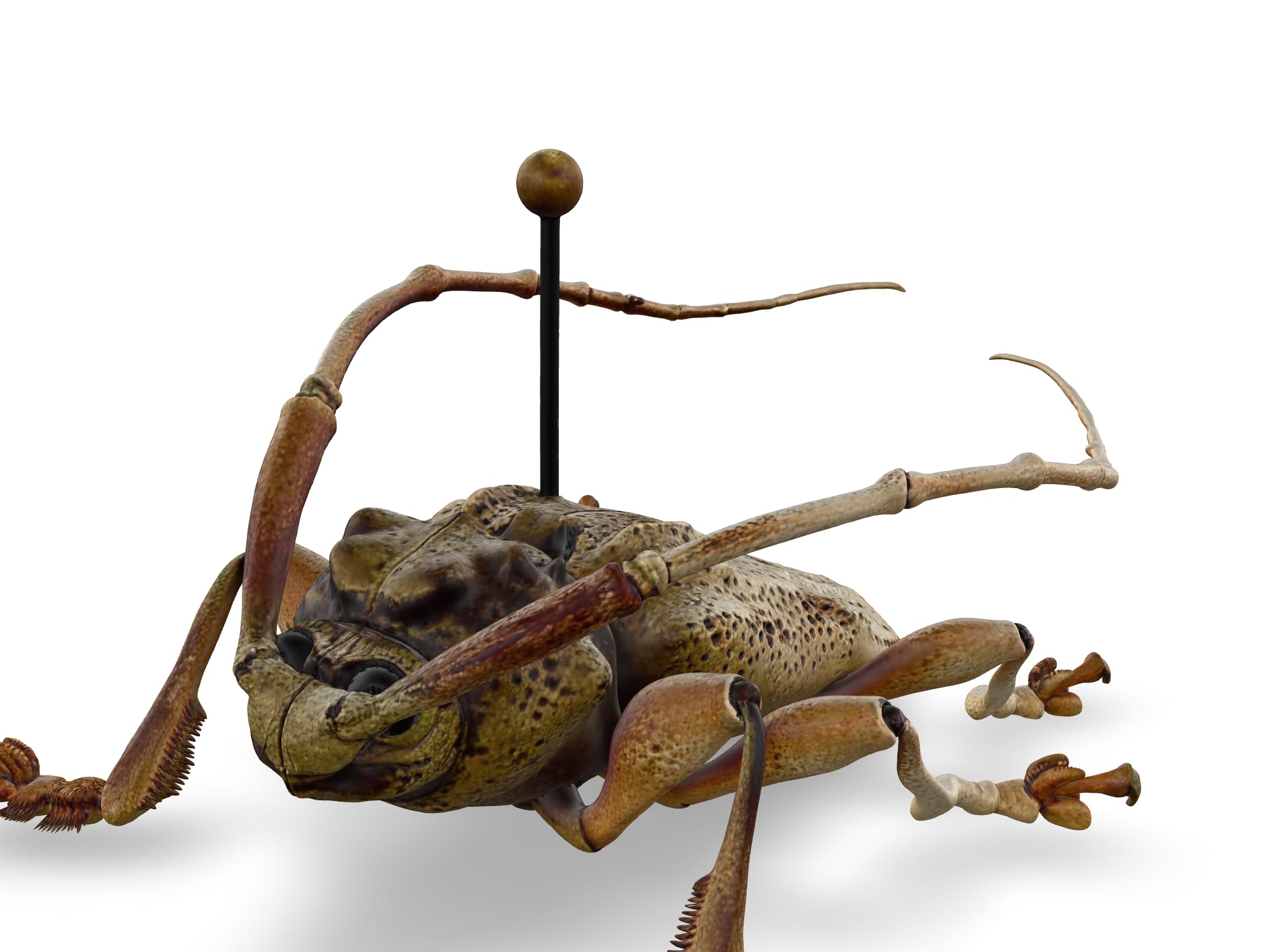
Grey beetle
A grey-bodied beetle. Rotate to examine the elytra, the segmented antennae, and the joints of the walking legs.
All models
Viewing on a Meta Quest 3
No app to install and no files to email. Everything runs in the headset's web browser — just open this page.
Open this page
In the Meta Quest 3 browser, go to this page — bookmark it or scan a QR code the instructor shares.
Rotate & zoom in the browser
Drag to orbit and pinch or scroll to zoom. The model holds wherever you leave it, so you can study legs, wings, and mouthparts from any angle.
Place it in your room
Tap the AR button to drop the insect into your space at life size — or many times larger — and walk all the way around it.
Grab & inspect in VR
Tap Inspect in VR to hold the insect in your hands: grab it with the triggers and turn it freely to see every side, even underneath.